

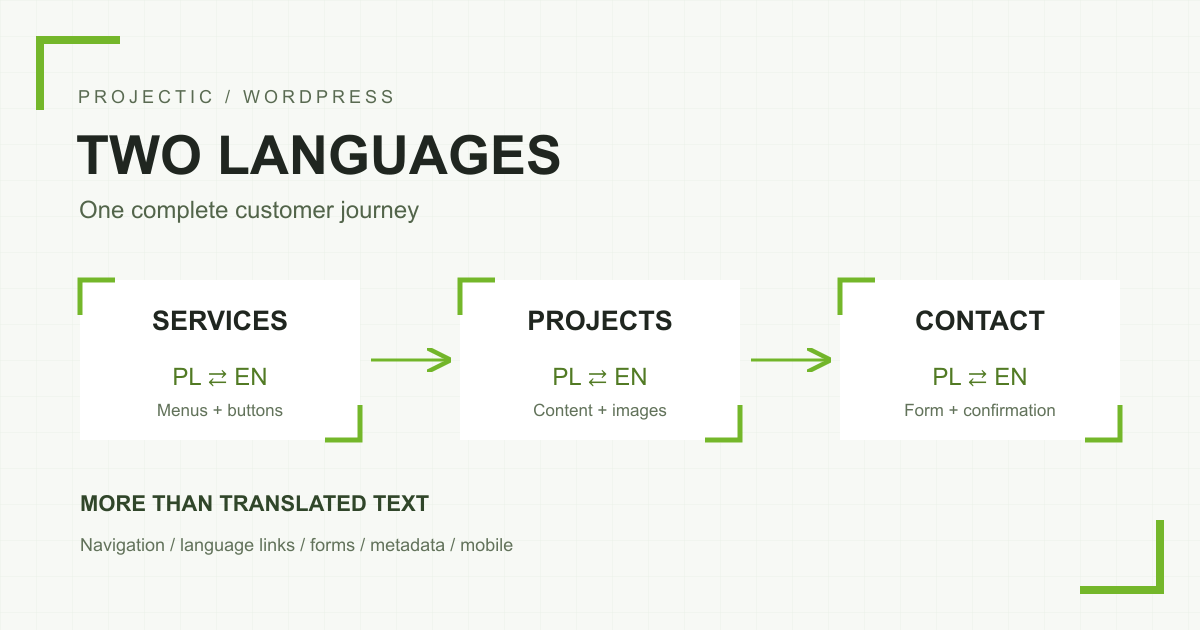
A WordPress website in two languages is ready when visitors can complete the same important task in either language: understand the offer, review relevant work and submit an enquiry. Translating the home page is only part of that job. A button that opens a Polish form, a footer with a different service list or a language switcher that sends everyone back to the home page can still break the journey.
The useful unit of acceptance is the complete user journey. This guide helps a business agree the scope with its developer and check the result before launch. It covers a company website with services, projects and articles. An online store also needs separate checks for checkout, payments, shipping and transactional messages.
Where should a bilingual website project start?
Start with a content inventory. List service pages, projects, articles, contact details, documents and important downloads. Record the owner, language counterpart and status of each item: to prepare, ready for review or published. This makes a missing English service page visible before it becomes a problem for a visitor.
You do not need to translate the entire archive at once. A complete small batch can be more manageable: one priority service, two projects that support it and the contact journey. Both languages must work through that journey. If an older resource is available only in Polish, make that clear rather than presenting it as English content.
The header and footer should describe the same offer
The main menu, mobile menu and footer may be managed separately. Adding a service to one location does not establish that it appears elsewhere. Check every label, position and destination. A link called “Services” can still open a Polish page if only its visible label was changed.
For a classic theme using Polylang, menus are created for each language and assigned to the relevant theme locations. This is described in the official Polylang menu guide. Block themes can use a different navigation editing workflow, so the handover instructions should match the actual site.
We include the footer in acceptance checks. A visitor reaching the end of a service description should find the current offer and remain in the selected language. Checking both navigation areas should also become part of the procedure whenever the offer changes later.
A language switcher should preserve context
Open a specific service and change its language. Are you still reading about the same service? Repeat this for a project, an article and the contact page. Having two entries in WordPress does not establish that they have been linked as translations.
Agree how missing translations will behave. You might hide an unavailable counterpart or provide a clearly explained route to the relevant service area. Avoid an English-looking address that displays untranslated Polish content. Links in the body, buttons and related-content modules need the same language checks as the switcher.
What needs translation beyond the main text?
Content may live in the WordPress editor, ACF fields, theme settings, forms and plugins. Translating one field does not automatically cover all of them. Review the website as a prospective customer would use it, rather than checking only the translation document.
- Sections and actions: icon labels, card headings, project links and text next to the phone number or form.
- Forms: labels, hints, required-field errors, consent text and the successful-submission message.
- Shared features: the footer, cookie banner, search, 404 page and empty results.
- Materials: image captions, useful alternative text and downloadable documents.
- Shared-link previews: the title, description and image shown when someone shares a page.
Keep these elements editable in the CMS. A hard-coded English section may be quick to launch, but it makes later updates harder and encourages the versions to drift apart. With ACF, agree which fields are translated and which intentionally share data or images.
Should the two versions look identical?
They should use the same approved design and provide equivalent functionality. That does not require identical text lengths or a literal reproduction of Polish sentence structure. An English heading may wrap differently, while dates and other details should be understandable to their intended audience.
When the same project appears in both versions, images and buttons should not disappear accidentally in one of them. An image containing words needs a language-specific version or a design that communicates without those words. Review wide screens and phones: card heights, button wrapping, navigation and form readability all matter.
What should you check in URLs, canonical and hreflang?
Each version needs a stable address that opens its own content directly. Agree the structure before launch, such as Polish service paths and English paths under /en/. If existing published addresses change, prepare 301 redirects to the relevant replacements at the same time rather than leaving old links with 404 errors.
For a typical pair of fully translated pages, canonical should identify the appropriate canonical URL for that version, while hreflang connects matching language counterparts. Do not point every English service at the Polish home page. Inspect the generated output on both pages, not just the configuration screen.
Google documents the hreflang requirements, including self-references and reciprocal links between counterparts. The annotation helps connect language variations. It does not replace translated content or guarantee indexing or rankings. Sitemaps and internal links should reflect the pages that are actually published.
How do you test forms in both languages?
Start with an error, for example by leaving a required field empty. The explanation should match the form language. Then arrange a successful test submission and check both the confirmation shown to the visitor and delivery to the recipient. Including the source page URL in the notification is useful when a shared form appears across service and project pages.
Analytics needs its own acceptance check. A submit-button click does not establish that an enquiry was sent successfully. A success event should follow an actual successful submission and respect the site’s consent mechanism. An administrator session may behave differently from a normal visit, so include a logged-out session in the test.
A practical checklist before launch
- Open each language’s service page directly, without going through the home page.
- Check header and footer menus, buttons, related projects and articles.
- Change language on several specific pages and confirm that context is preserved.
- Review form labels, consent text, errors and successful-submission messages.
- Compare images, captions, downloads and shared-link previews.
- Verify addresses, redirects, canonical and reciprocal hreflang.
- Repeat the main journey on a phone while logged out of WordPress.
- Record who will maintain both versions after launch.
At Projectic, a language version is part of a working website with the same editing and acceptance standards. If you are planning a new WordPress website or an extension, we can help scope the two-language journey. For an existing site, technical support and a focused review can establish the missing elements, correct translation links and deliver improvements in small batches.