

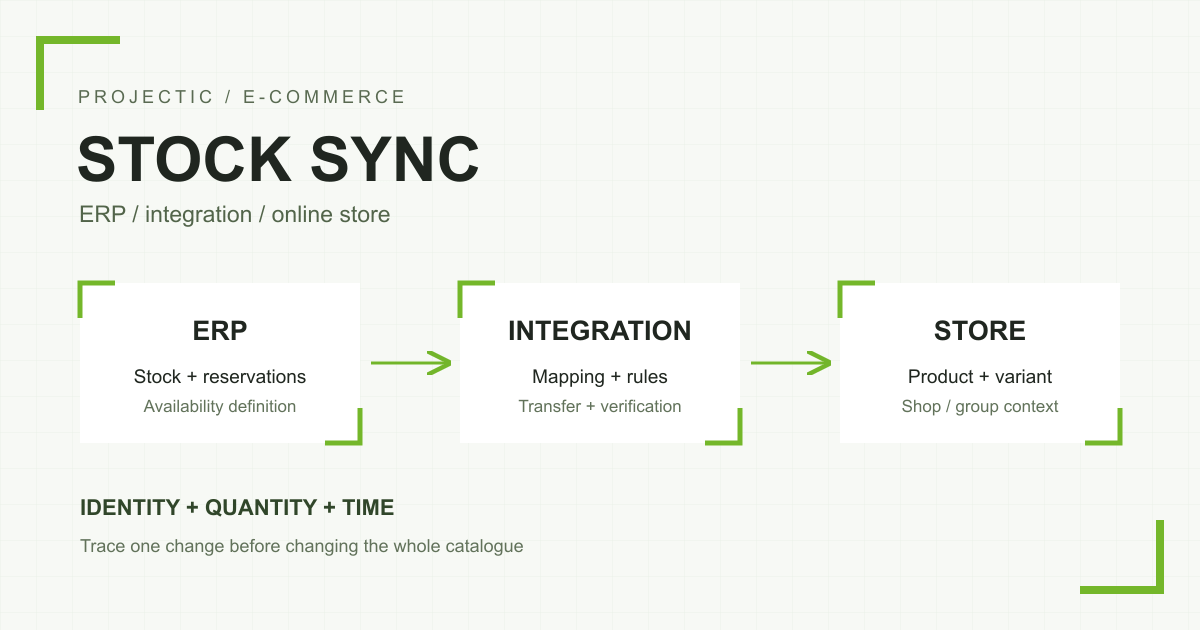
A difference between online-store and ERP stock does not always mean synchronization has failed. The systems may show different warehouses, treat reservations differently or report values from different moments. Start with one product and one identifiable event. That makes it possible to distinguish a product-mapping issue from an availability rule, an order-transfer problem or a failed store update.
With PrestaShop, WAPRO, another ERP or an intermediary such as Base, merchants often see only the final symptom: an item is in the warehouse but unavailable online, or the shop has sold something that is no longer available. Those symptoms can have different causes. Increasing synchronization frequency without identifying the cause can simply write the wrong value more often.
First establish which quantities you are comparing
“Stock” can mean physical units on a shelf, units reserved for orders or units available for sale. Warehouses, sales channels, bundles, variants and an agreed safety buffer add further context. Two correct numbers can differ because they describe different things.
Consider an illustrative calculation: there are 12 physical units, 3 are reserved and the merchant wants to retain a buffer of 1. Under that agreed policy, the store should receive 8. This is an example sales rule, not a default formula for every integration. If the ERP already sends a quantity net of reservations, subtracting the same reservations again in the integration will understate availability.
In PrestaShop, distinguish available quantity from physical and reserved quantities. The developer documentation explains their relationship in its Stock FAQ. Verify behaviour against the installed store version, modules and order workflow. Adding an item to a cart should not automatically be treated as an ERP reservation.
Choose one product, variant and store
For the first investigation, select a product whose history can be reconstructed. Record its ERP identifier, store identifier, variant and sales channel. A product name helps a person recognise it, but should not be the only key connecting systems.
One of our integration projects required an explicit relationship between a catalogue identifier and a WAPRO item index. These identifiers served different purposes. The lesson is practical: matching descriptions do not prove that an update targets the right stock item.
PrestaShop represents available stock in the context of a product, combination and store or store group. These fields are listed in the stock_availables resource documentation. In multistore, identify the store and variant as well as the product. Check whether the group shares quantities before treating differences between stores as an error.
Which system owns availability?
A short responsibility map helps. For example, the ERP determines the quantity available for sale, the integration applies an agreed rule and the shop publishes the result. Descriptions, prices and photographs can have separate owners. A single system does not have to supply every field.
Problems arise when two independent processes write the same quantity. A manual correction, a file importer and the ERP integration may overwrite one another in turn. Each operation can appear successful in its own log while the visible quantity keeps changing for reasons the team cannot explain.
In an actual implementation, one store had WAPRO integration disabled but still needed availability from a different source. We added a separate stock-import option available when ERP integration was disabled. This illustrates why switching off an order flow and selecting the source of availability should not be treated as one decision. It does not mean every store should use the same rule.
Trace a single change through the systems
Build a consistent timeline. The times below illustrate a diagnostic approach; they are not measurements from a customer project:
- At 10:00, the ERP records a change in the quantity available for sale.
- At 10:02, the integration reads that value and maps it to the product and store.
- At 10:03, it sends an update and the destination acknowledges the request.
- At 10:04, a verification read checks what the store actually saved.
- At 10:05, we compare the back office, product page and ability to place an order.
If the change stops before collection, examine the source, schedule and access permissions. If the integration reads the right value but sends a different one, examine mapping and calculations. If the store has saved the right quantity but the page shows something else, investigate presentation and caching. An API acknowledgement does not replace a verification read or a basket test.
A useful diagnostic log includes the time and timezone, operation identifier, product, variant, store, input value, calculated result and destination response. It does not need the buyer’s personal information or the entire order body.
An order in the integration is not necessarily an order in the ERP
Order transfer affects reservations and availability, so investigate it alongside stock updates. Our integration separates collecting an order from the shop and transferring it to WAPRO. Seeing an order in the first panel does not prove that the second stage completed.
Another confirmed workflow involved staff quickly changing a new order to shipped. The collection process did not always see the status configured for import before that change. We separated the statuses eligible for collection from the decision to change status after import. This allowed already-shipped orders to be collected without resetting their status. It is an example of a workflow rule worth checking, not evidence that every stock discrepancy is caused by statuses.
Retries, delays and out-of-order updates
Establish whether an update means “set the current quantity to 8” or “decrease it by 2”. Repeating these operations has different consequences. Check whether a delayed older update can overwrite a newer quantity, and how processed orders are identified.
These are investigation scenarios, not claims that they occurred in every project described here. Duplicate handling, ordering and retry behaviour must be established from the actual implementation. The phrase “two-way synchronization” does not explain what happens after a connection drops or the same operation is sent again.
Why does a manual correction only help temporarily?
If an automated process reads the wrong input or applies the wrong rule again, it will overwrite a manual store correction. Preserve the history and establish which process is allowed to write stock before making changes. For an urgent case, agree on a temporary sales restriction for the affected item rather than assigning a large artificial quantity across the catalogue.
We do not recommend repairing stock by directly updating arbitrary production SQL tables. That can bypass store and module behaviour as well as change history. Identify the cause first, choose a supported correction method and then verify the result.
How should the fix be tested?
- Mapping: a simple product, a variant and an unmapped item do not update the wrong stock record.
- Scope: the change affects the correct warehouse, store and stock-sharing group.
- Full lifecycle: order creation, payment, shipping and cancellation have their agreed effects on availability.
- Retries: repeating an operation does not change the outcome contrary to the agreed rule.
- Ordering: old data cannot silently restore an outdated quantity without conflict handling.
- Exceptions: zero stock, returns, manual corrections and disabling one source have defined behaviour.
- Observation: the correct value remains after another complete synchronization cycle, and transfer failures reach the responsible person.
Use an agreed environment and test data. If there is no test ERP, define in advance which actions will avoid creating real documents, payments or customer messages. Our guide to testing store changes before deployment explains the wider acceptance process.
What information helps with a support request?
Start with an example product and variant identifier, the relevant store and warehouse, the expected and observed quantities, the event time and the last known operation. Include software versions and the modules that can write availability. If secrets or customer data are genuinely needed later, their transfer should use an agreed secure channel.
See our PrestaShop and WAPRO integration project and the Laravel integration case study. We investigate existing connections through store technical support and develop unusual workflows as custom applications and integrations. If your store runs on PrestaShop, see our PrestaShop support. Tell us where the values begin to differ, and we can agree on the first diagnostic scope.