

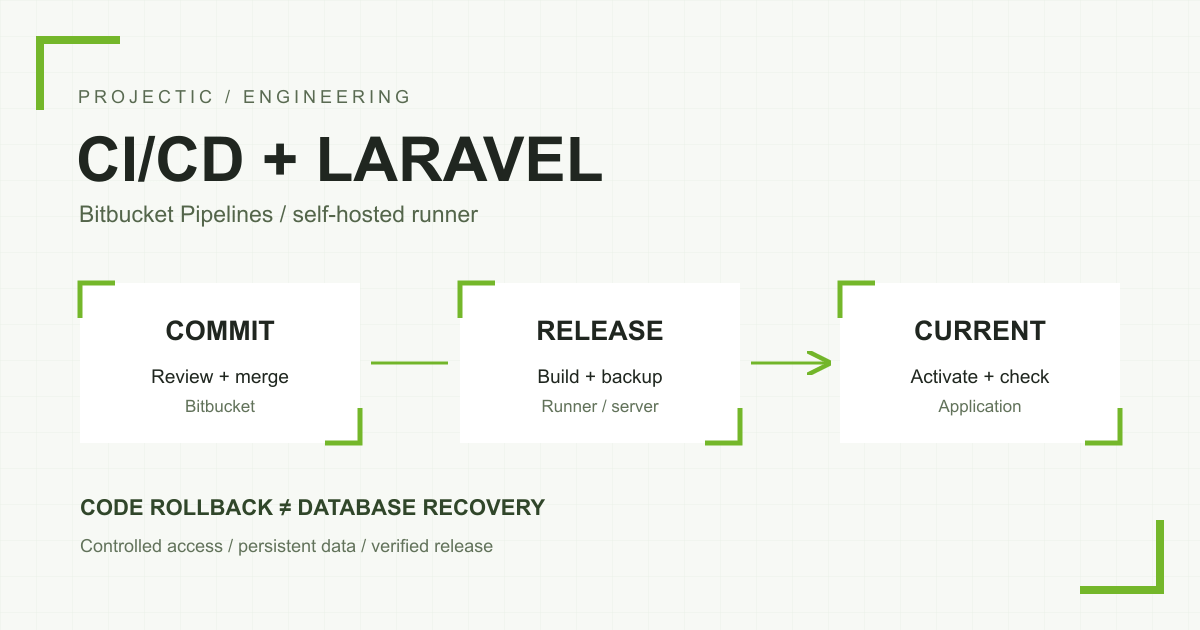
Automated Laravel deployment does not require opening inbound SSH to every machine that might execute a CI/CD job. If a server accepts administrative connections only from approved addresses, a self-hosted Bitbucket Pipelines runner is one option. In our implementation, the runner receives jobs through outbound connections and invokes a controlled script to publish a specific commit. The inbound access rules remain unchanged.
This article describes the approach used for a seasonal application’s infrastructure. The team needed repeatable deployments after repository changes had been reviewed, with a way to return to the previous application release. A conventional cloud runner connecting to production over SSH did not fit the existing address allowlist. We changed where the job ran instead of expanding that inbound access.
What does CI/CD improve in application maintenance?
Manually copying files leaves several questions unanswered: did every change arrive, are the dependencies correct, and does the running application match the repository? A repeatable process should provide concrete answers. In this implementation, a full commit identifier defines the deployment. The job result identifies the release that became active.
Automation does not replace tests or code review. Here it is the final stage of an agreed workflow: work on a separate branch, open a pull request, review it and merge into master. Updating that branch triggers deployment. The branch name is a project choice; another repository might use main.
How did a self-hosted runner solve the SSH problem?
A runner executes the steps defined in a pipeline. We registered one on infrastructure under our control and scoped it to a single repository. When it receives a job, it invokes a local deployment entry point. Bitbucket does not need to initiate a new SSH connection to the application server.
Approved outbound connectivity is still necessary: the runner must communicate with Bitbucket services, retrieve the repository and download dependencies. The direction matters. Restricting inbound access does not mean that the server can operate without external services. Check the current requirements in Atlassian’s firewall documentation.
A pipeline example with little logic in YAML
The following example illustrates the division of responsibilities rather than a complete installation. The runner label and deployment command are placeholders. Using it requires a configured runner, a protected deployment branch and a reviewed server script with suitable permissions.
definitions:
  steps:
    - step: &deploy
        name: Deploy reviewed commit
        deployment: production
        runs-on:
          - self.hosted
          - linux.shell
          - app.production
        script:
          - test "$BITBUCKET_BRANCH" = master
          - sudo -n /usr/local/sbin/app-deploy "$BITBUCKET_COMMIT"

pipelines:
  branches:
    master:
      - step: *deploy
  custom:
    deploy-production:
      - step: *deploy
Our deployment procedure lives in a controlled script on the server. It validates the argument, confirms that the commit belongs to the permitted branch’s history and prevents concurrent deployments. A condition in YAML alone is not a sufficient security boundary: someone able to change the pipeline can change that condition too.
Who is allowed to deploy application code?
The runner account has read access to one repository and can invoke a specific deployment command without general-purpose sudo access. Git, Composer, npm and application code run under unprivileged accounts. The privileged entry point handles system operations and validates its parameters.
This remains a significant permission. Someone able to place code on the deployable branch can cause application code to run on the server. Repository rules, pipeline access and operating-system permissions therefore need to be considered together. We do not run jobs from unreviewed forks or unrelated projects on this runner.
The Linux Shell runner we selected executes commands directly on the host. It does not provide a fresh isolated environment for each step, as explained in the Linux Shell Runner documentation. A different risk profile may justify separating builds from production and delivering a verified artifact. Sharing a host is a project decision, not a universal recommendation.
Build the new release beside the active application
We do not overwrite the live application’s files one by one. Each deployment receives a separate directory, while the web server uses a current symlink. Configuration and persistent data have their own location. A simplified, anonymous layout is:
/srv/example-app/
  current -> releases/COMMIT-TIMESTAMP
  previous -> releases/PREVIOUS-RELEASE
  releases/
  shared/
    .env
    storage/
    uploads/
Dependencies and frontend assets are prepared before switching traffic. We install the versions recorded in lock files instead of upgrading libraries during deployment. The script does not regenerate the application key, run seeders or replace the production .env with a repository file.
In this implementation, the procedure builds frontend assets and publishes the administration panel’s assets. Only a completed release is connected to the persistent directories. A build failure can therefore stop the process before the active code changes.
Plan separately for migrations, workers and the scheduler
After building the release, the procedure creates a database backup before migrations. The application then enters a short maintenance period, and the worker and scheduler are stopped for the change. The script runs migrations, refreshes configuration, route and view caches, switches current, reloads PHP-FPM and starts the processes.
This deployment includes a maintenance interruption; we do not describe it as zero downtime. A backup taken before stopping the application does not, by itself, prove consistent recovery of all writes made around the switch. Recovery planning must account for new data, the backup method and an actual restore test. A non-empty file is not evidence of a verified disaster recovery procedure.
Long-running processes may continue using old code even after the website serves the new release. The plan therefore includes both workers and scheduled tasks. How to stop them safely and let current work finish depends on task duration and service configuration. See the general guidance in the Laravel queue documentation and deployment documentation.
When is a deployment actually successful?
A successful Git command is not enough. After activation, our script checks service state, responses from selected pages and the CSS and JavaScript resources required by the login form. These are specific technical checks, not a complete test of every business process.
We also distinguish release activation from clearing the edge cache. If the application is running but cache purging fails, the result identifies that stage. There is no reason to immediately repeat migrations and the entire deployment. First establish what has completed, then retry the operation that actually needs attention.
A code rollback does not restore the database
Manual rollback uses the previous release directory. The script also has a recovery path that restores the old code when an error occurs during activation. Neither mechanism automatically reverses database migrations.
Switching a symlink will not recreate a deleted column. Schema changes should therefore support the previous code for a transition period where possible. If a migration is incompatible, restoring the database requires a decision about new writes and possible data loss. The Laravel migration documentation explains the mechanics, but a rollback command cannot replace an application-specific recovery plan.
What should you verify before the first automated deployment?
- Permissions: who can modify the production branch, start a pipeline and edit the server deployment script?
- Repeatability: does the result identify the active commit, and is a second deployment prevented from running concurrently?
- Persistent data: will configuration, sessions and uploaded files survive a code release?
- Failures: what happens if the build, migration, HTTP check or cache purge fails?
- Recovery: does the previous code work with the new schema, and has data restoration been tested?
- Acceptance: who will check the key user workflow after the pipeline’s technical checks finish?
The seasonal Laravel application infrastructure project provides the broader context. To improve your deployment process, explore our Linux server administration and Laravel application and integration development. Tell us how you currently publish changes and which restrictions apply, and we can define a process suited to your application.