

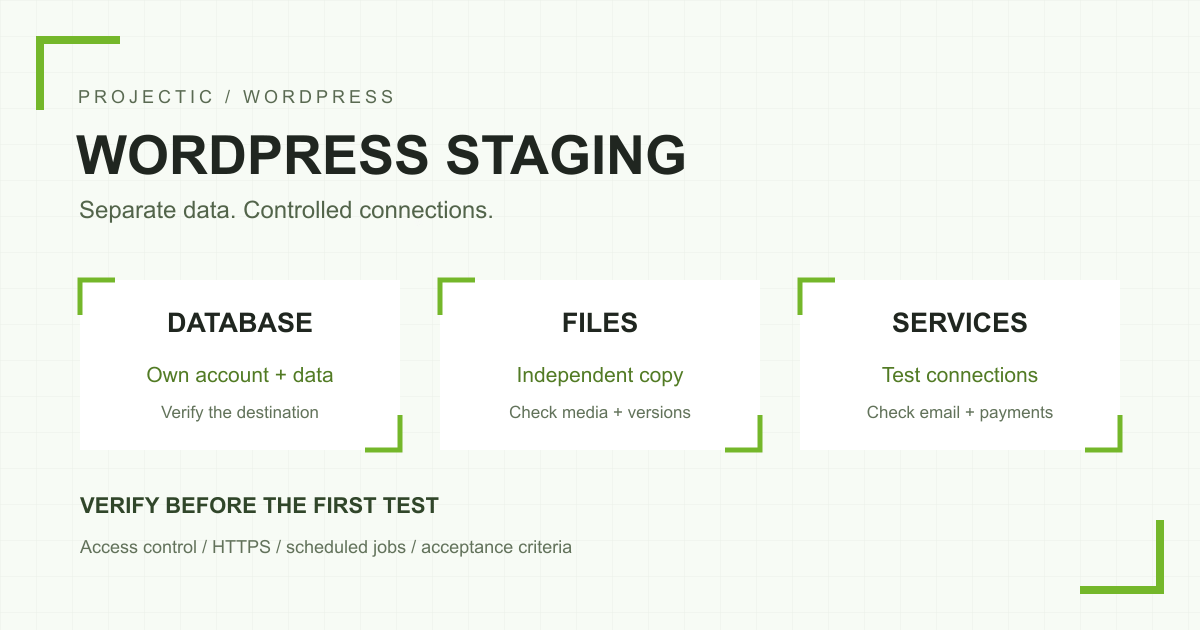
A WordPress staging environment needs its own database, files, configuration and controlled access. Before opening a cloned site, isolate email delivery, live payments and production integrations. An additional domain alone does not keep test changes separate from the live business.
The usual goal is straightforward: check an update, a new section or a form change before customers encounter it. Problems arise when a copy looks independent but still writes to the live database or sends genuine notifications. Preparing staging deserves a defined scope and acceptance process.
What do you need to test?
Start by recording the purpose. Reviewing a layout needs different data from reproducing an integration issue or comparing response times. A representative set of pages and media may be sufficient for a visual change. An integration investigation also needs relevant module versions, process settings and safe sample records.
Record the snapshot date and code version. Otherwise, a difference may come from outdated content rather than the proposed fix. The reviewer should know which scenario to follow and what a successful result means.
Separate the database, files and permissions
Use a separate database and a database account whose permissions are limited to it. Check the actual database host and name in the configuration. A different website address with the same connection details may still write to the original database.
Apply the same reasoning to files. Changes to staging uploads should not reach production through a shared directory or symbolic link. Shared object storage, caches and external media services also need review. Decide which resources are independent copies and which are intentionally read-only.
In one environment we prepared, we created a system user, a dedicated PHP-FPM pool, a database with its own account, and Nginx and HTTPS configuration. We verified these services. The application directory and database remained empty, ready for the subsequent WordPress installation. That was the infrastructure handover; installing or copying the application and configuring it remained a separate step.
Keep a backup you can actually restore
Before refreshing an existing staging site, preserve its current state too. It may hold approved work that has not reached production. Replacing it with a newer database without comparing the changes can erase earlier work.
A complete website backup requires both the database and relevant files, including media and configuration. Keep a dated set with a clear scope outside the public website directory. Check that the archive is readable and the database can be imported. WordPress explains file and database backups separately from the content export available in the dashboard.
Update addresses without damaging stored settings
After copying the site, check its address, login flow, redirects and content links. Themes and plugins can store serialized settings. A plain text replacement in an SQL dump can damage these values.
WP-CLI provides search-replace, which handles serialized data and supports a dry run. This example is for an already isolated staging installation:
wp --path=/srv/www/staging search-replace \
  'https://www.example.com' 'https://staging.example.com' \
  --all-tables-with-prefix --skip-columns=guid --dry-run
The path and domains are placeholders. Confirm the database, directory and table scope first. Review the report before planning a real replacement. --dry-run does not save replacements. Skipping guid preserves post identifiers, which serve a different purpose from navigational links. A multisite network needs a separately assessed operation.
Identify staging and control access
The staging configuration can include:
define( 'WP_ENVIRONMENT_TYPE', 'staging' );WP_ENVIRONMENT_TYPE tells themes and plugins what kind of environment they are running in. It does not guarantee that every email, payment or integration will be disabled. Verify each relevant service.
An internet-accessible staging site should have access control, such as server authentication, and working HTTPS. A noindex setting concerns search indexing rather than data protection. A robots.txt file is not access control either. Google explains the limitations of robots.txt and alternatives for preventing access or indexing.
Review anything that can leave the environment
Inventory email delivery, payments, webhooks, synchronization jobs and scheduled actions before browsing the cloned site. Remove unnecessary production credentials and connect required services to agreed test accounts. Merely changing the administrator email does not stop messages to customer addresses held in the copied database.
Route email to a controlled test receiver or block delivery through an agreed mechanism. Check extensions that send through external SMTP or API services too. WooCommerce documents that test orders can trigger emails and integrations, and extensions may treat them like genuine orders.
Review scheduling separately. WP-Cron can trigger work when a page loads, while additional processes may run on the server. Avoiding a synchronization button does not establish that no data will leave the site. Repeat these checks after a refresh, because the copied database can restore production settings.
How should staging be accepted?
Acceptance should establish both that the site works and that it is isolated from production. A useful handover record includes:
- the data snapshot date, code version, PHP version and relevant extensions,
- the separate database, database account and application directory,
- working HTTPS, access control and indexing settings,
- login, links, images and language versions where applicable,
- the verified email receiver and integration test modes,
- a review of scheduled work, caches and external connections,
- the result of the specific scenario staging was prepared to test.
For performance comparisons, record the conditions, including PHP version, cache state and data scope. A single result on a different server does not establish how production will perform under real load.
What should eventually reach production?
Agreed code, content and configuration changes need a defined deployment scope. A complete staging database can contain old form submissions or orders, sample users and disabled integrations. Copying it back indiscriminately can overwrite newer live records.
Before deployment, establish what changed, who accepted it and how records created since the snapshot will be protected. The recovery plan should cover data as well as the previous file version.
Common questions
Does staging need a different server?
Not always. What matters is the actual separation of database, files and services. Another server can make isolation easier, but it can still connect to production integrations if configured that way.
Is copying the database enough?
Only when compatible files and the required media are already available by design. Recreating a complete website requires a known set of dependencies and versions.
Should staging be refreshed regularly?
Refresh it when current data or versions are needed for the next task. Preserve existing staging work first, then recheck isolation and external-service settings after the refresh.
If you need staging before an update or want to organize existing environments, explore our WordPress support and Linux server administration. Describe the planned change and connected services so we can agree the preparation and acceptance scope.