WordPress support helps with a specific fault on an existing website. If an update produced a critical error, the dashboard is inaccessible, or a form stopped working, we can investigate and propose a repair scope.
If you suspect an infection, see how we handle malware removal for WordPress.
Tell us about your WordPress issue
What problems can you ask us about?
- The site or the admin dashboard is inaccessible. We check whether the error relates to a recent change, a plugin, the theme, custom code, or the hosting environment.
- Part of the website changed or stopped working after an update. We reproduce the affected workflow and check the compatibility of the components involved.
- A form no longer accepts enquiries or delivers email. We establish whether the issue affects the form, the outgoing WordPress email, or message delivery.
- Problems remain after a website incident. We review the available evidence and agree what should be secured, restored, and verified before returning the site to service.
How diagnosis and repair work
- Define the symptom and priority. We establish when the problem started and who cannot use the affected part of the site.
- Investigate the cause. We reproduce the fault with the available information and review recent changes. We establish whether a copy or staging environment can be used safely.
- Agree scope and cost. If the cause is unclear, diagnosis can be agreed as a separate first stage. We agree the deployment and rollback approach before making the repair.
- Verify the result. We test the reported workflow, such as signed-in admin access, page rendering, or the form path, and provide a short handover.
If the issue started after a version change, see what we checked after a WordPress security update.
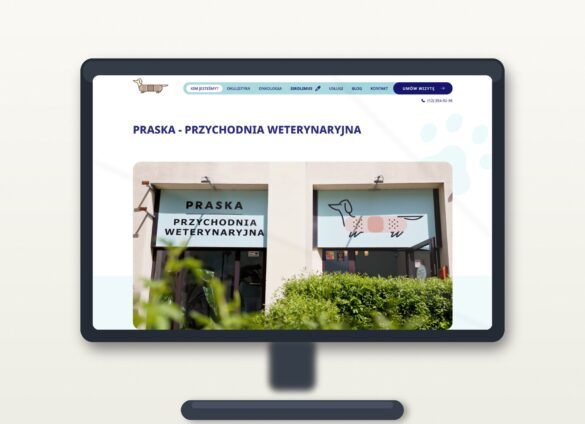
In a project for a veterinary clinic, we fixed broken buttons and reorganised navigation along the appointment booking journey. We preserved the site’s existing design when we moved it to WordPress.
WordPress support questions and answers
What should I include in my first enquiry?
Include the site URL, approximate time the fault started, the message or a screenshot without personal data, and details of recent changes. We arrange access separately. Please keep passwords and keys out of the form.
Can you help if I cannot log in to WordPress?
Yes, unavailable admin access can be part of the issue. We first check what access is available and whether it is enough to investigate safely. If the fault is with the hosting service, we explain what to pass to the provider.
What does a one-off WordPress repair cost?
The cost depends on whether we can reproduce the issue, which parts of the website need checking and whether a backup or staging site is available. If the cause is known, we agree the scope and cost of the repair. If we need to identify the cause first, we agree the scope and price of the diagnosis separately.
Can I start with one repair?
Yes. A one-off request covers the work we agree for that incident. If you later need regular updates and maintenance, see our ongoing website care service.
Where should I report a WordPress problem?
Contact WordPress.com support about your account or plan billing. For advice on settings or plugins, ask in the WordPress.org community forums. If you need someone to diagnose and repair a problem on a self-hosted site, contact Projectic.