

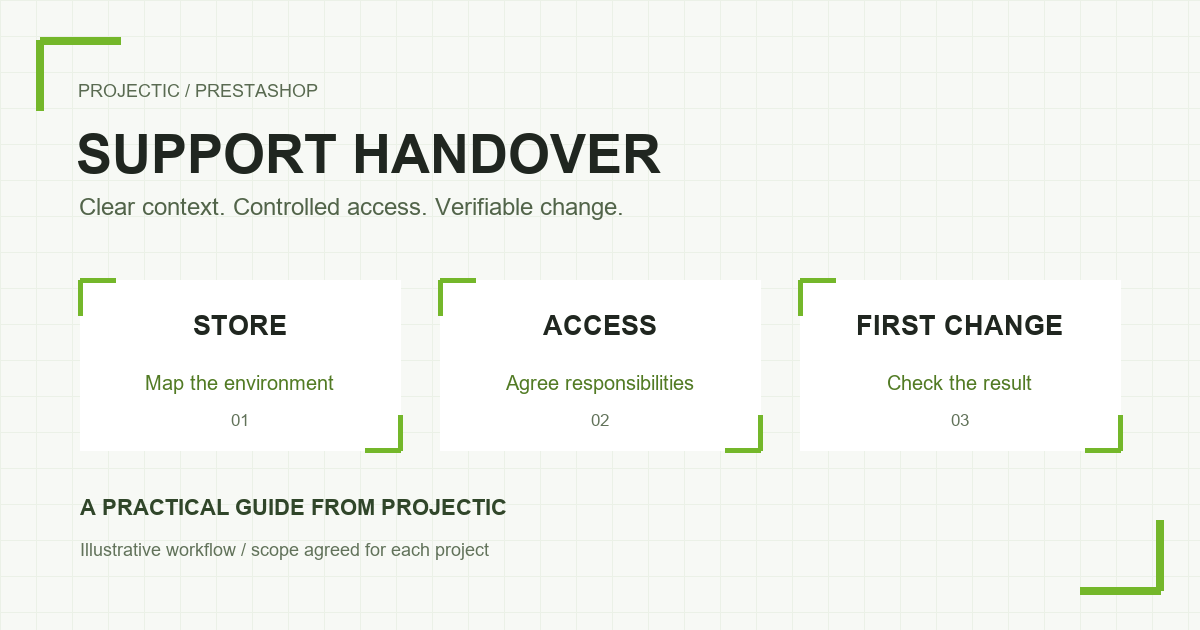
A PrestaShop support takeover should start by establishing how the current environment works, who owns each connected system and what the first change will cover. The incoming team needs reliable information, agreed access and a way to verify its work. A back-office login alone is not enough to assume responsibility for every store feature.
This guide is for businesses with a running store that want to change providers, organise their cooperation or secure regular technical support. A takeover does not have to become a rebuild. Its first outcome should be a clear picture of the situation, prioritised work and an agreed scope for the next stage.
What exactly are you handing over?
Begin with the business need. Do you need incident resolution, updates, integration support, routine changes or new functionality? One store may prioritise a reliable checkout, while another needs to organise order transfers to an ERP. These differences determine the skills required and how cooperation should begin.
Separate unresolved requests from features that simply need to continue working. Ask operations staff to identify confirmed problems, their frequency and their impact. “Orders sometimes fail” calls for different investigation from an error reproduced after choosing a particular delivery method.
- Which responsibilities are leaving the previous provider, and which remain with it?
- Who decides priorities, spending and deployment approval?
- Which requests concern faults, and which ask for a new capability?
- What depends on licences, supplier agreements or unavailable documentation?
Hand over the existing task list together with comments and decision history. An old task title may suggest a repair even though a different behaviour was ultimately agreed. A closed status alone does not explain what reached the store. A description of the outcome, the related code change and an acceptance record are more useful.
How should you document the current environment?
The incoming team needs to know what it will support. Prepare a short environment record that can be maintained over time. It does not have to be extensive, but it should distinguish established facts from details still requiring investigation.
- PrestaShop: the full version, active theme and known custom changes.
- Infrastructure: PHP and database versions, hosting type and the person responsible for the server.
- Modules: important extensions, versions, suppliers and update arrangements.
- Code: the repository, deployment process and whether the current production code is recorded there.
- Environments: the live store, testing environment and rules for moving changes between them.
- Data: the sources of products, prices, inventory and orders.
- Dependencies: payments, delivery, ERP, marketplaces, email and scheduled jobs.
- Recovery: backup scope, storage location and the most recent confirmed restore check.
Versions matter. PHP compatibility depends on the particular PrestaShop release, and extensions may have separate requirements. The version 9 documentation provides different compatibility ranges for individual releases. Check the combination actually running in the store rather than assuming newer PHP is always the right first step. Source: PrestaShop 9 system requirements.
How can access be handed over without sharing one account?
Agree which areas the new team needs to access and why. Initial investigation can involve reading configuration, change history and repository contents. Modifying the store, running an import or changing payment settings requires an agreed scope and an identified approver.
PrestaShop’s documentation recommends individual accounts with appropriate permissions. This helps distinguish actions and end a particular person’s access later. Agree how secrets will be shared separately, rather than putting passwords into an ordinary task description. Source: team access in PrestaShop 9.
Check ownership of the domain, hosting, repository, licences and provider accounts as well as the store login. A payment account owned by the business is different from the technical access required to investigate its module. A clear distinction helps both day-to-day cooperation and a later handover.
Which sales rules does the new team need to understand?
Configuration does not always explain the business intention. Ask the people running the store which behaviours are deliberate: who sees a price, when an item should be available, what a status means and which system may overwrite a value. Record exceptions that might otherwise look like faults.
Our portfolio includes work on a PrestaShop store connected to enova365. It covers implementation, product and inventory synchronisation, followed by ongoing support. That scope requires understanding the store and its daily data flows together.
In a separate PrestaShop and WAPRO integration, the direction of status updates matters to order handling. An incoming team should know that rule before altering synchronisation. These projects establish areas of experience; the scope of taking over a particular store still needs to be assessed against its own configuration and data.
What should the first investigation deliver?
Agree on a defined output before work starts so discovery does not become an open-ended collection of activities. A useful result includes the environment record, confirmed limitations, missing information and a proposal for the first tasks.
- Confirmed state: what was read or checked, including the version and environment.
- Risks: for example, an incompatible extension or an unknown recovery process.
- Dependencies: decisions and supplier information required for further work.
- Priorities: urgent incidents separated from housekeeping and development.
- The first change: its scope, acceptance criterion, deployment method and recovery approach.
Missing evidence should not automatically become a finding that a feature is broken. If the team cannot access a payment provider’s logs, the investigation should identify that gap and the next required action. This is more useful than presenting an assumption as a diagnosis.
What should be checked before the first change?
Choose a task with a clear purpose and limited scope. Record the behaviour before the change, then agree how the result will be verified. Testing should account for the languages, store contexts and integrations involved. Building the testing environment itself is a separate topic.
A backup needs to include both files and the database, which PrestaShop treats as separate recovery components. Also agree how to handle orders and data changes created after the backup. Restoring an older database does not by itself resolve those newer transactions. Source: PrestaShop backups.
Match testing to the change. A delivery fix needs more than a home-page check; an integration change needs its relevant data flow verified. Our guide to testing store changes before deployment develops this part of the process.
How should ongoing support work?
Define the request channel, the person setting priorities and how completion is accepted. A useful request describes one problem, an expected outcome and its environment. After the work, there should be a record of the change and verification result rather than just a “done” message.
Separate maintenance from development. An update within the agreed maintenance scope, an incident investigation and a new sales feature are different tasks. Projectic support packages distinguish maintenance from hours used for changes. One-off prepaid hours valid for a year are also available. The appropriate arrangement depends on the work and how regularly it is needed.
Team availability, initial response times and urgent-request rules must be agreed individually. Response time is not the time needed to resolve every fault. Where a module supplier or payment operator is involved, include its role in the plan instead of making a promise the support provider cannot control.
What does an organised takeover look like?
You can identify the owner of each critical system, read the current task list and follow the history of the first change. The incoming team understands the agreed sales rules. Operations staff know where to report an issue and how to accept the result. Documentation is clear enough that a later handover will not begin by searching for basic information.
If you need this kind of cooperation, describe the current environment and your most important issue through our PrestaShop technical support service. We can then agree on the initial investigation and next stage without presuming the store needs a rebuild.
Frequently asked questions
Can support be taken over without the previous provider’s documentation?
Investigation can start with the available information and record the gaps. Missing documentation affects the scope and certainty of the findings. Any proposed change needs its dependencies checked rather than treating the entire system as already understood.
Does a support takeover require a PrestaShop upgrade?
Assess an upgrade after checking versions, compatibility and risk. It may become a separate task, but starting cooperation is not by itself a reason to change every part of the environment at once.
Can support cover modules from another supplier?
It can cover configuration and investigation within an agreed scope. Establish code access, licence conditions and the supplier’s role in fixes. A store back-office login does not provide control over every external system.